Material UI
1
2
3
4
5
6
| // with npm
npm install @material-ui/core
// with npm
npm install @material-ui/icons
|
robo font import public/index.html
1
2
3
4
5
6
|
<link rel="stylesheet" href="https://fonts.googleapis.com/css?family=Roboto:300,400,500,700&display=swap" />
/* font-icon */
<link rel="stylesheet" href="https://fonts.googleapis.com/icon?family=Material+Icons" />
|
Uncaught (in promise) Error: Request failed with status code 404
Button Component를 사용해서 컴포넌트 정보가 다 넘어옴..
1
2
3
4
5
6
7
8
9
|
<Button color="secondary" size="small" value = {post.id} onClick= {this.handlingDelete}>삭제하기</Button>
<Button color="secondary" size="small" onClick={(event)=>this.handlingDelete(post.id)}>삭제하기</Button>
|
App.css
1
2
3
4
5
6
7
8
9
10
11
12
13
14
15
16
17
18
| .PostingPaper {
padding: 1rem;
margin: 1rem;
}
.PostingForm {
display: flex;
flex-direction: column;
}
.card {
margin-bottom: 2rem;
}
body {
background-color: #f5f5f5;
}
|
App.js
1
2
3
4
5
6
7
8
9
10
11
12
13
14
15
16
17
18
19
20
21
22
23
24
25
26
27
28
29
30
31
32
33
34
35
36
37
38
39
40
41
42
43
44
45
46
47
48
49
50
51
52
53
54
55
56
57
58
59
60
61
62
63
64
65
66
67
68
69
70
71
72
73
74
75
76
77
78
79
80
81
82
83
84
85
86
87
88
89
90
91
92
93
94
95
96
97
98
99
100
101
102
103
104
105
106
107
108
109
110
111
112
113
114
| import React from 'react';
import './App.css';
import api from './api';
import PostView from './Components/PostView'
import Container from '@material-ui/core/Container';
import Paper from '@material-ui/core/Paper';
import TextField from '@material-ui/core/TextField';
import Button from '@material-ui/core/Button';
import Card from '@material-ui/core/Card';
import CardActions from '@material-ui/core/CardActions';
import CardContent from '@material-ui/core/CardContent';
import Typography from '@material-ui/core/Typography';
class App extends React.Component {
constructor(props){
super(props)
this.state = {
title: '',
content: '',
results: [],
}
}
componentDidMount(){
this.getPosts()
}
async getPosts(){
const _results = await api.getAllPosts()
this.setState({results: _results.data})
console.log(_results)
}
handlingChange = (event)=> {
this.setState({[event.target.name]: event.target.value})
}
handlingSubmit = async (event) => {
event.preventDefault()
let result = await api.createPost({title: this.state.title, content: this.state.content})
console.log("완료! "+ result)
this.setState({title: '', content: ''})
this.getPosts()
}
handlingDelete = async (id) => {
await api.deletePost(id)
this.getPosts()
}
render(){
return (
<div className="App">
<Container maxWidth="lg">
<div className="PostingSection">
<Paper className="PostingPaper">
<h2>대나무 숲 작성하기</h2>
<form className="PostingForm" onSubmit={this.handlingSubmit}>
<TextField
id="outlined-name"
label="title"
name="title"
// className={classes.textField}
value={this.state.title}
onChange={this.handlingChange}
margin="normal"
variant="outlined"
/>
<TextField
id="outlined-name"
label="content"
name="content"
multiline
rows="4"
// className={classes.textField}
value={this.state.content}
onChange={this.handlingChange}
margin="normal"
variant="outlined"
/>
<Button variant="contained" color="primary" type ="submit">제출하기</Button>
</form>
</Paper>
</div>
<div className="ViewSection">
{
this.state.results.map((post) =>
<Card className={'card'}>
<CardContent>
<Typography>
<PostView key = {post.id} id = {post.id} title = {post.title} content = {post.content}/>
</Typography>
</CardContent>
<CardActions>
<Button color="secondary" size="small" onClick={(event)=>this.handlingDelete(post.id)}>삭제하기</Button>
</CardActions>
</Card>
)
}
</div>
</Container>
</div>
);
}
}
export default App;
|
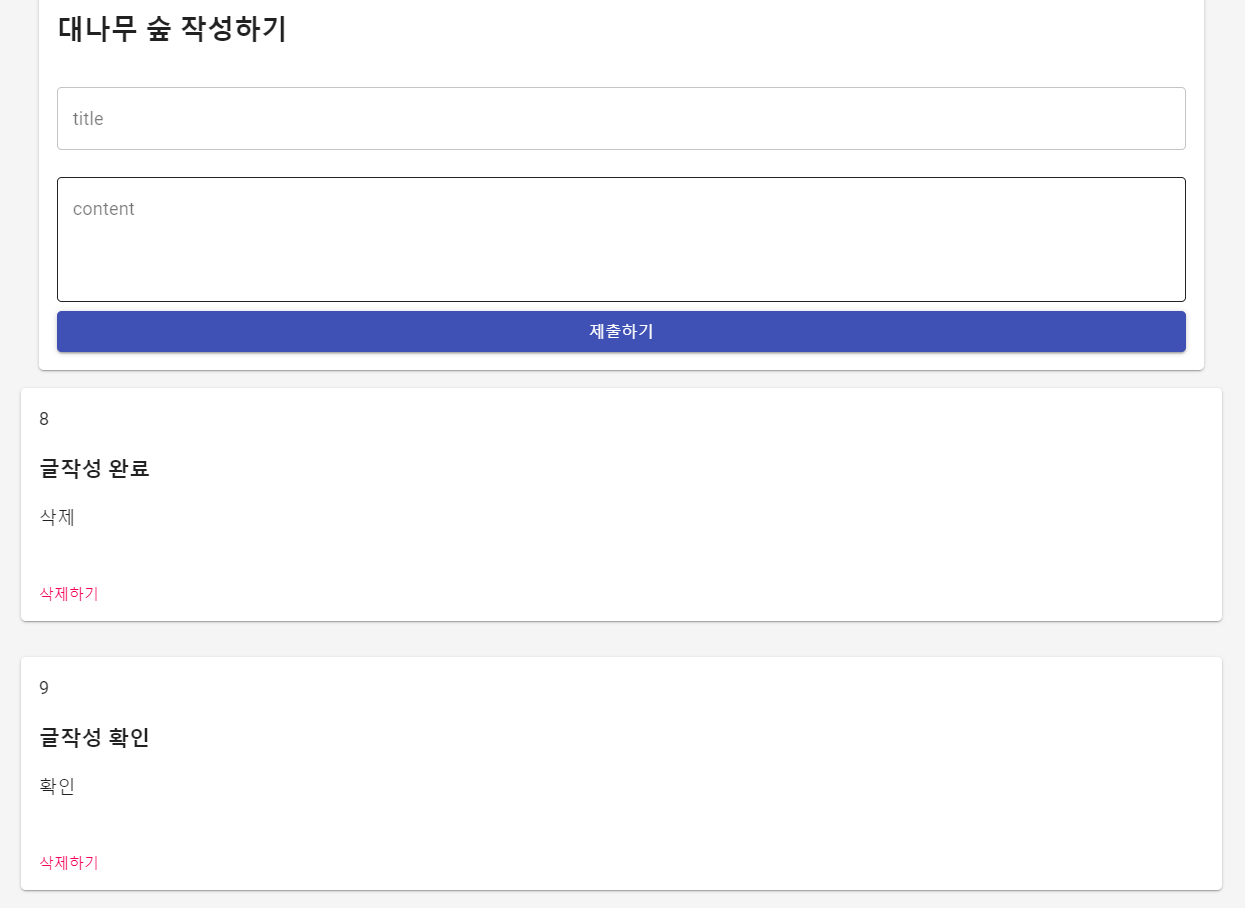 )
)
하루를 기록하다